
AR Try-On Intent Signals, Scoring, and Retargeting
AR try-on interactions generate purchase intent data far richer than clicks or views. Here's how to capture, score, and retarget from them.
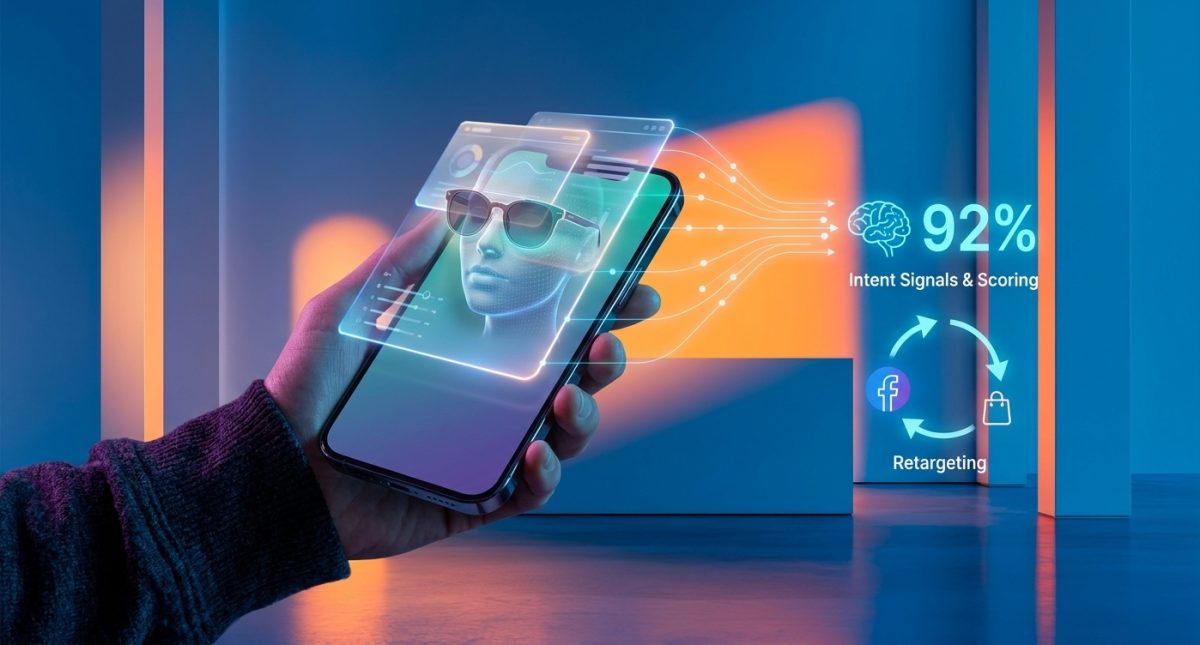
Brands using AR try-on features on Instagram and Snapchat are seeing 3–4x higher conversion rates compared to standard video ads—yet fewer than 12% of paid social teams are actively capturing these interactions as intent signals. That gap represents one of the most underexploited advantages in digital marketing right now. AR try-on as an intent signal layer isn’t a futuristic concept. It’s a framework you can implement this quarter, and it generates the highest-fidelity purchase intent data available on social platforms.
Turn AR engagement into scored leads that feed directly into your retargeting audiences.
Why AR Try-On Events Outperform Every Other Social Signal
Think about what a video view actually tells you. Someone watched three seconds of a lipstick ad while scrolling. Maybe six seconds. Maybe they looked away. Now think about what an AR try-on tells you: this person opened the camera, held up their face, selected a shade, rotated their head to see how it looked from multiple angles, and spent 22 seconds interacting with a virtual product on their body. These are fundamentally different categories of engagement.
The behavioral richness of AR interactions is staggering. According to Snapchat’s AR platform data, users who engage with branded AR lenses spend an average of 20–30 seconds interacting, compared to 1.7 seconds of attention on a standard mobile ad. That dwell time isn’t passive. It’s active, self-directed product exploration. When someone virtually places a sneaker on their foot or tries on sunglasses using Instagram’s AR filters, they’re performing a behavior that’s one step removed from walking into a fitting room.
And yet, most advertisers still weight a 10-second video view and an AR try-on identically in their intent models. That’s like treating someone who browsed a store window the same as someone who asked for their size.
Key Insight
An AR try-on isn't just engagement—it's a product fitting conducted on the consumer's own body. No other social signal carries that level of purchase proximity.
The AR Engagement Event Taxonomy You Need
Before you can score AR interactions, you need to capture them with granularity. Not all AR events are equal. A user who opens a lens and immediately closes it is different from one who tries three color variants and screenshots the result. Here’s a practical taxonomy for cataloging AR try-on events:
Each of these events should carry a different weight in your intent scoring model. If you’re lumping them all together as “AR engagement,” you’re losing the signal advantage that makes AR data special in the first place.
Lens/Filter Open:
The user initiated the AR experience. This is your baseline signal—equivalent to a landing page visit. Useful for broad retargeting pools but low in isolation.
Active Try-On (Dwell > 5s):
The user held the AR experience open and actively engaged for more than five seconds. This filters out accidental opens and curiosity taps, leaving genuine product interest.
Variant Exploration:
The user switched between product options—different colors, sizes, styles. This is a high-fidelity signal. It mirrors the comparison-shopping behavior that precedes purchase in e-commerce analytics.
Screenshot or Save:
The user captured the AR result. On Snapchat, this is trackable via Lens Studio analytics. On Instagram, save events are available through the Meta Ads API. A screenshot is essentially a self-generated product image—an act of ownership visualization.
Share Event:
The user sent the AR try-on result to a friend or posted it to their story. This signals not just intent but social validation-seeking, which is a strong pre-purchase behavior especially among Gen Z audiences.
Scoring AR Signals Against Traditional Video-View and Click Data
Let’s get concrete. How much more valuable is an AR try-on event compared to a standard paid social signal? The honest answer is that it depends on your product category, but here’s a scoring framework we’ve seen work across beauty, eyewear, footwear, and home décor brands.
Assign a baseline of 1 point to a 3-second video view. Then score relative to that:
- 3-second video view: 1 point
- 10-second video view (ThruPlay): 3 points
- Link click: 5 points
- AR Lens Open: 4 points
- AR Active Try-On (>5s dwell): 12 points
- AR Variant Exploration: 20 points
- AR Screenshot/Save: 25 points
- AR Share: 30 points
- Add to Cart: 35 points
Notice where AR signals land in this hierarchy. An AR screenshot scores five times higher than a link click and nearly as high as an add-to-cart event. That’s not arbitrary—it reflects the behavioral reality. Someone who screenshots themselves wearing your product has mentally rehearsed ownership. The cognitive distance to checkout is short.
This scoring model feeds directly into how you build retargeting audiences. Instead of creating a single “engaged users” audience, you can create tiered segments: AR-warm (lens openers), AR-hot (variant explorers), and AR-scorching (screenshot + share). Each tier gets different ad creative, different offers, and different bid strategies. This is where the approach connects to broader paid social strategy—you’re not just retargeting; you’re retargeting with precision calibrated to behavioral depth.
Feeding AR Intent Data Into Retargeting Audiences
Here’s where most teams hit a wall. They know AR data is valuable, but they can’t figure out the plumbing. How do you actually get AR try-on events from Snapchat’s Lens Studio or Instagram’s Spark AR into your ad platform audiences?
The mechanics depend on the platform, but the pattern is consistent:
On Snapchat: Lens Studio provides engagement metrics including total plays, average play time, shares, and saves. Using Snapchat’s Conversions API (CAPI), you can push custom events—including AR-specific ones—into Snap Ads Manager. From there, build custom audiences segmented by event type. Snapchat’s first-party Lifestyle Categories can supplement this with contextual data, but the AR events themselves are your primary signal.
On Instagram/Meta: Meta’s advertising platform allows custom audience creation based on people who interacted with your AR effects. You can specify interaction depth (opened vs. captured vs. shared) and set recency windows. The Meta Conversions API lets you enrich these audiences with offline or CRM data, creating composite intent scores that blend AR behavior with other touchpoints.
The critical step most teams skip: feeding AR engagement data into a unified scoring layer that also ingests web behavior, email engagement, and search intent. This is precisely the kind of cross-channel intent aggregation that platforms like Intercept are built for—connecting disparate intent signals into a single, actionable lead score rather than leaving AR data siloed in one platform’s audience builder.
Key Insight
The brands winning with AR retargeting aren't just capturing AR events. They're scoring those events alongside every other intent signal and routing the highest-scoring profiles into their most aggressive bid strategies.
What About Privacy?
AR try-on data operates in a relatively favorable privacy position compared to cross-site tracking or third-party cookies. These interactions happen within first-party platform environments (Snapchat, Instagram) where the user has opted into the experience. You’re not tracking someone across the web; you’re recording their voluntary interaction with your branded content.
That said, transparency matters. Disclose data usage in your AR experience descriptions. Make sure your IAB-compliant consent frameworks cover in-app engagement signals. And remember that Google’s Privacy Sandbox changes affect cross-platform data flow—AR signals captured natively within social platforms are somewhat insulated from these shifts, which is another reason they’re becoming more valuable relative to web-based signals.
Closing the Gap Between Virtual Try-On and Checkout
The ultimate question: does this actually reduce the distance between someone trying on your product virtually and buying it? The data says yes. Shopify merchants using AR product visualization report 94% higher conversion rates for products with AR content versus those without. When you layer intent scoring on top—routing AR-scorching users into dynamic product ads with urgency messaging and personalized offers—the gap narrows further.
Here’s the retargeting sequence that works:
This tiered approach mirrors the intent-based catalog segmentation methodology that’s driving 40%+ ROAS improvements for e-commerce brands. The principle is the same: don’t show every prospect the same ad. Match creative intensity to signal intensity.
If you’re running paid social for any product that can be visualized on a body, face, or in a space, AR try-on signals are no longer optional inputs—they’re the most reliable purchase-proximity data your retargeting stack can consume. Build the event taxonomy, implement the scoring model, and feed the tiers into segmented audiences. The brands that do this in the next 90 days will own a structural advantage that compounds with every AR interaction captured.
AR-Warm (Lens Openers):
Serve educational or social-proof creative. They showed curiosity; reward it with testimonials or UGC showing real customers with the product.
AR-Hot (Variant Explorers):
Serve dynamic product ads featuring the specific variants they explored. If someone tried on three shades of lipstick, show those three shades with pricing and a direct shop-now CTA.
AR-Scorching (Screenshot/Share):
Serve limited-time offers or cart-recovery-style creative. These users are purchase-ready. The creative should assume intent and remove friction—free shipping, one-click checkout, satisfaction guarantees.
Frequently Asked Questions
What makes AR try-on data a stronger intent signal than a video view or link click?
AR try-on interactions require active, self-directed engagement—users physically position a product on their body or in their space, often spending 20–30 seconds interacting. This level of deliberate product exploration signals far greater purchase proximity than passive video consumption or a single click, which is why AR events should score significantly higher in any intent model.
How do I capture AR engagement events for retargeting on Snapchat and Instagram?
On Snapchat, use Lens Studio analytics combined with the Snapchat Conversions API (CAPI) to push AR-specific events into Snap Ads Manager and build custom audiences by event type. On Instagram, Meta allows custom audience creation based on AR effect interactions—filtered by depth (opened, captured, shared) and recency—through the Meta Ads Manager and Conversions API.
What types of products benefit most from AR try-on intent signals?
Products that can be visualized on a person’s body or in their environment see the strongest results. Beauty, eyewear, footwear, jewelry, apparel, and home décor brands consistently generate the highest-fidelity intent data from AR try-on features because the interaction closely mimics in-store fitting or product placement behavior.
How should I score AR try-on events relative to other paid social engagement signals?
A practical scoring model assigns 1 point to a 3-second video view and scales up: link clicks at 5 points, AR lens opens at 4 points, active AR try-ons at 12 points, variant exploration at 20 points, screenshots at 25 points, and shares at 30 points. These scores reflect the behavioral depth and purchase proximity each interaction represents.
Are there privacy concerns with using AR interaction data for retargeting?
AR try-on data is relatively privacy-friendly because interactions occur within first-party platform environments where users opt into the experience. However, brands should still disclose data usage in AR experience descriptions and ensure their consent frameworks comply with IAB standards and regional privacy regulations.
Turn AR Try-On Signals Into Closed Revenue
AR engagement data is the highest-fidelity intent signal on social—but only if it feeds a unified scoring model. Intercept connects AR events with cross-channel intent data to build retargeting audiences that convert.


